



Creating a web app from start to finish
Matt here. Let’s build a complete web app from scratch — branding, feature building, logging, emails, notifications, tests, and deployment.
Before we get into it: this is not a v3-style tutorial where I walk you through every file change. Petal Pro v4 ships with CLAUDE.md files throughout the project that give Claude Code full context about the architecture, conventions, and patterns. Your job is to describe what you want. Claude builds it. You review, understand, and steer. That’s the workflow we’ll follow.
ℹ️ Note: This tutorial was written using Petal Pro v4
What you’ll learn
We’re building “Financy” — a personal finance tracker. Along the way:
- Branding — Logo generation and color theming with one Claude command
- Feature building — How to describe a feature and let Claude build it
- Layouts & menus — Adding pages to the sidebar
- Logging — Track user actions with the built-in logging system
- Emails — Monthly summary emails scheduled with Oban
- Notifications — In-app and email alerts
- Testing — Fixing and extending generated tests
- Deployment — Ship to Fly.io
Getting up and running
What you need
- Access to Petal Pro (petal.build)
- Elixir & Erlang installed — see our installation guide
-
PostgreSQL running — Postgres.app for Mac, or use the included
docker-compose.yaml - tmux, because Claude starts the server in a tmux session
-
For deployment (optional): a Fly.io account and a Resend account for email (Petal Pro sends through Resend when
RESEND_API_KEYis set)
Download
Head to the projects page, create a project, and download the latest version. Unzip it.
Rename
mv petal_pro financy
cd financy
You don’t need to rename the internal module names — keeping them as PetalPro makes it easier to pull in future Petal Pro updates.
Get it running
mix setup
Then open Claude Code and ask it to start the server:
start the server
Claude reads the CLAUDE.md and knows exactly what to do:
⏺ Bash(tmux kill-session -t petal_pro 2>/dev/null; tmux new-session -d -s petal_pro "iex -S mix phx.server")
  ⎿  (No output)
⏺ Server's up in the petal_pro tmux session. Give it a few seconds to compile,
  then hit localhost:4000. Attach with tmux attach -t petal_pro if you need IEx.
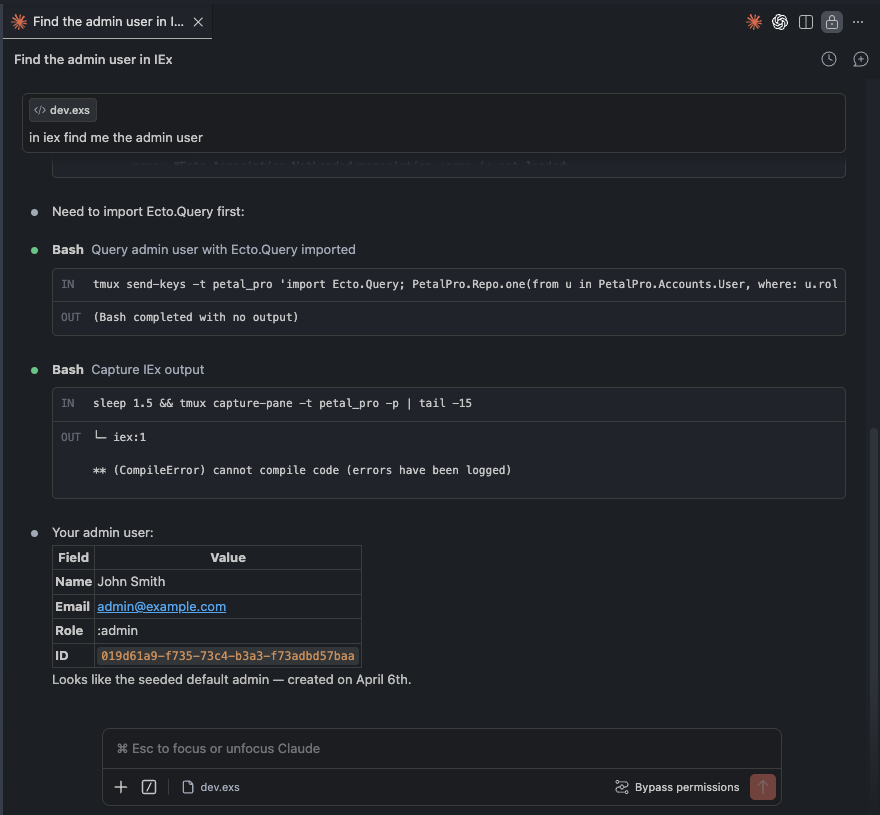
Claude knew to use tmux — it read the CLAUDE.md
Navigate to http://localhost:4000. You’ll see the default Petal Pro landing page — blue buttons, Petal logo. Let’s brand it before we go any further.
Adding your brand
Petal Pro ships with a /generate-brand command that generates all your logo files from a short description in docs/branding.md. Open that file and fill it in:
## App name
Financy

## Tagline (optional, used in OG image)
Personal assets visualised

## Primary brand color (hex)
#10b981

## Icon style
A dollar sign done in a pixelated way.
Then in Claude Code:
/generate-brand
Claude designs an icon and generates all eight files (logo_dark.svg, logo_light.svg, three logo_icon*.svg, favicon.svg, logo_for_emails.png, open-graph.png) into priv/static/images/. Don’t like it? Tweak “Icon style” and run it again.
Also update config.exs with your app details (search for SETUP_TODO):
config :petal_pro,
  app_name: "Financy",
  business_name: "Financy Pty Ltd",
  support_email: "support@financy.app",
  mailer_default_from_name: "Financy",
  mailer_default_from_email: "support@financy.app",
  logo_url_for_emails: "https://yourcdn.com/financy-logo.png",
  seo_description: "Personal finance management — track income, expenses, and build toward your goals"
And swap the colors in assets/css/colors.css — replace blue with emerald and pink with slate. Emerald makes sense for a finance app.
Restart the server, reload the browser:
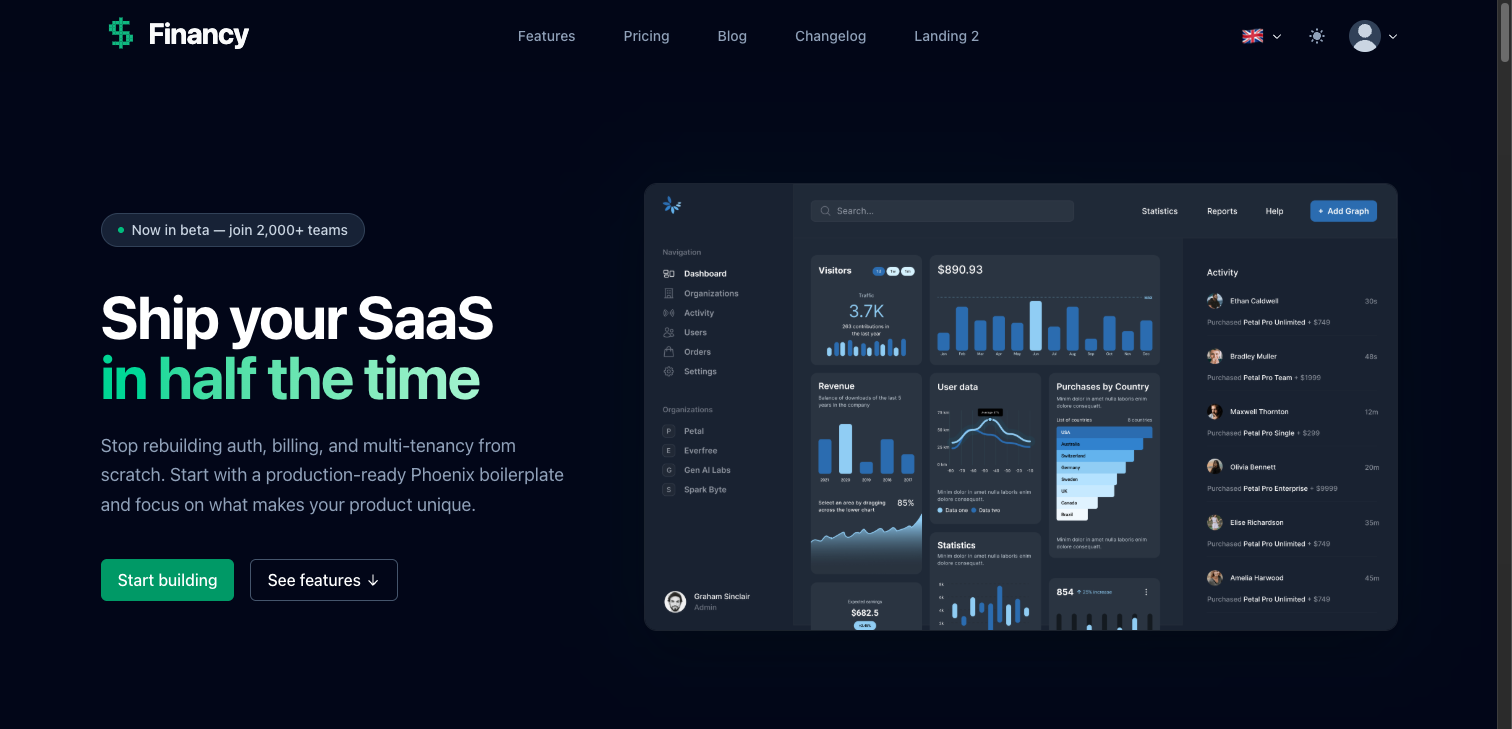
Landing page after branding — Financy pixel-dollar logo, emerald CTA
ℹ️ Email logo: The logo in emails must be a public URL — email clients can't load local files. Once you're happy with the logo, upload logo_for_emails.png to Cloudinary, S3, or your CDN and paste the URL into logo_url_for_emails in config.exs.
The other SETUP_TODOs cover license and privacy policy content — skip those for now, they’re not needed until you go live.
Explore what’s included
Before building, take five minutes to understand what Petal Pro already gives you. Ask Claude:
give me a quick overview of what's included in this project
⏺ Based on the CLAUDE.md files, here's what's already built:

  Auth — Email/password with confirmation, passwordless PIN login, Google and GitHub
  OAuth, TOTP 2FA. All methods can coexist on the same account.

  Admin panel — /admin with user management, org management, real-time activity
  logs, email template previewer, database schema visualizer, and route explorer.

  Multi-tenancy — Full org system with invitations, roles (owner/admin/member),
  and slug-based routing under /app/org/:org_slug/.

  User settings — Profile, email change, password, 2FA, notification preferences,
  GDPR data export and account deletion.

  Background jobs — Oban with default and billing queues. Built-in daily workers
  for GDPR cleanup and purging expired invitations.

  Notifications — In-app notification bell + email delivery, per-type user
  preferences, real-time PubSub updates.

  Billing — Full Stripe integration, configurable per user or per org.

  Blog/CMS — Editor.js rich content editor, drafts, categories.
Sign in with admin@example.com / password and click around. A few things worth seeing:
The admin panel — Click your avatar → Admin. The Logs tab is where user activity ends up — you’ll add to it shortly. Dev → Email templates lets you preview every transactional email. The database schema visualizer generates an interactive ER diagram of your whole schema.
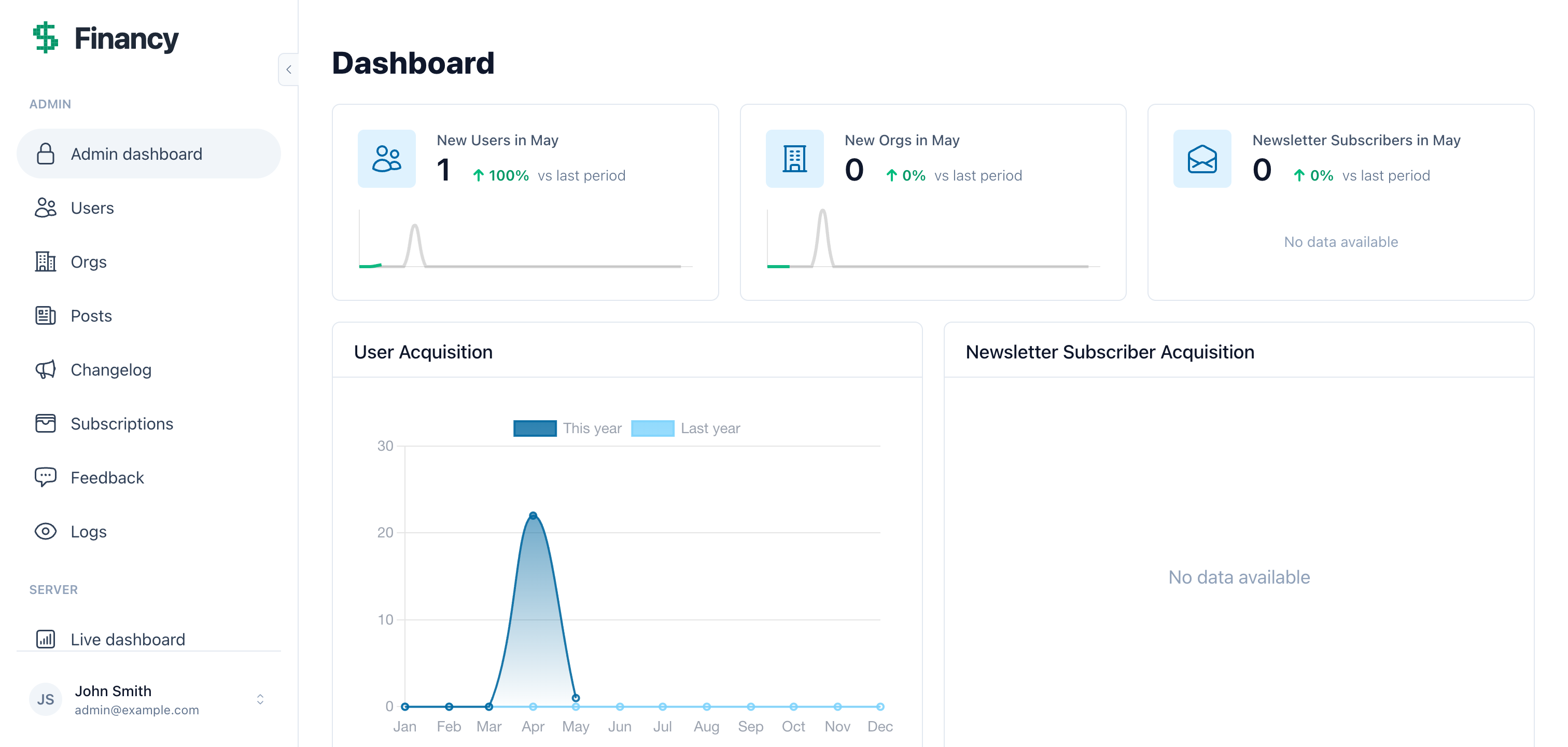
Admin panel — logs, users, orgs, dev tools
Authentication — Before signing in, notice the auth options. Passwordless, email/password, OAuth. All built, all working.
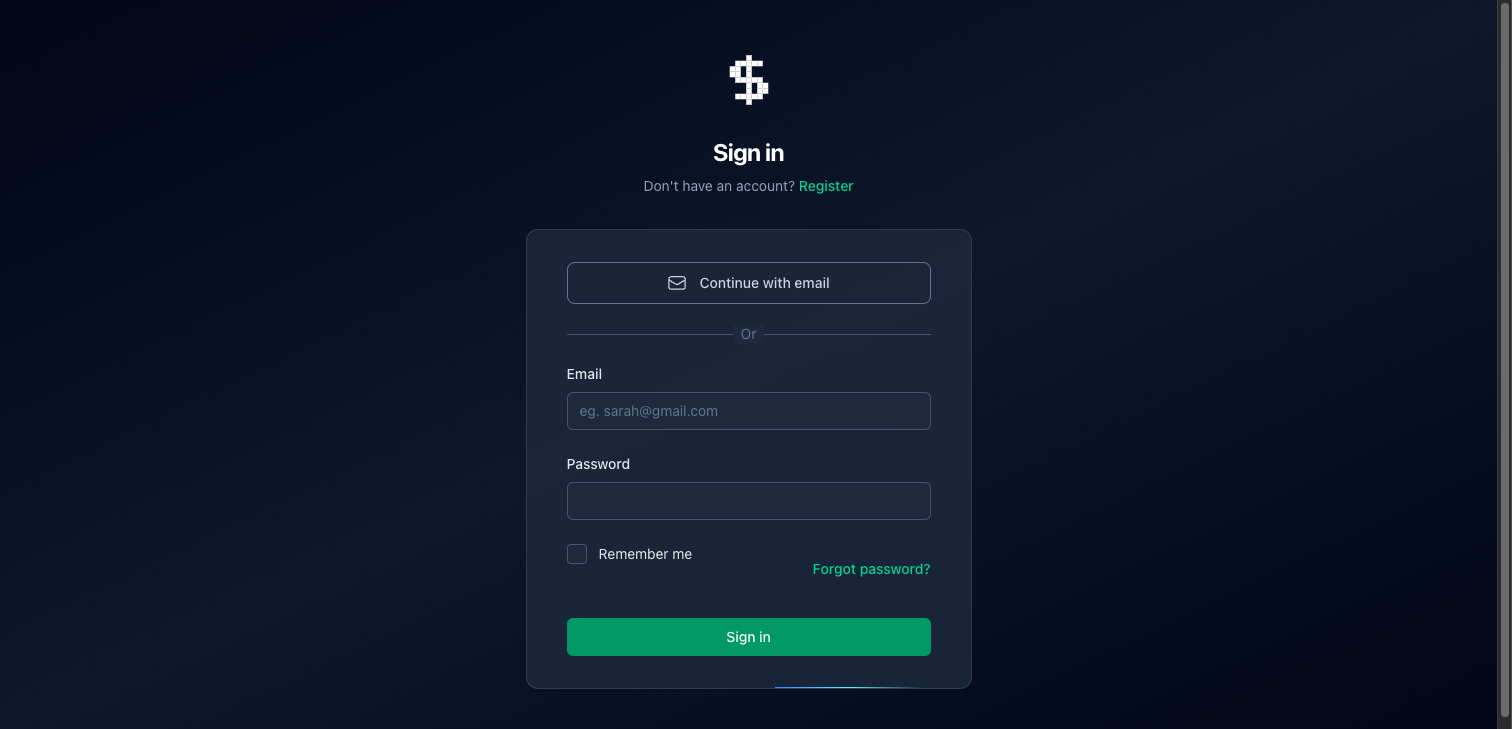
Multiple auth methods — all configured, nothing to build
The sidebar layout - Once signed in you’ll see the collapsible sidebar with user profile, navigation, and a Notifications item with a live unread badge. This is the layout you’ll wrap your own pages in.
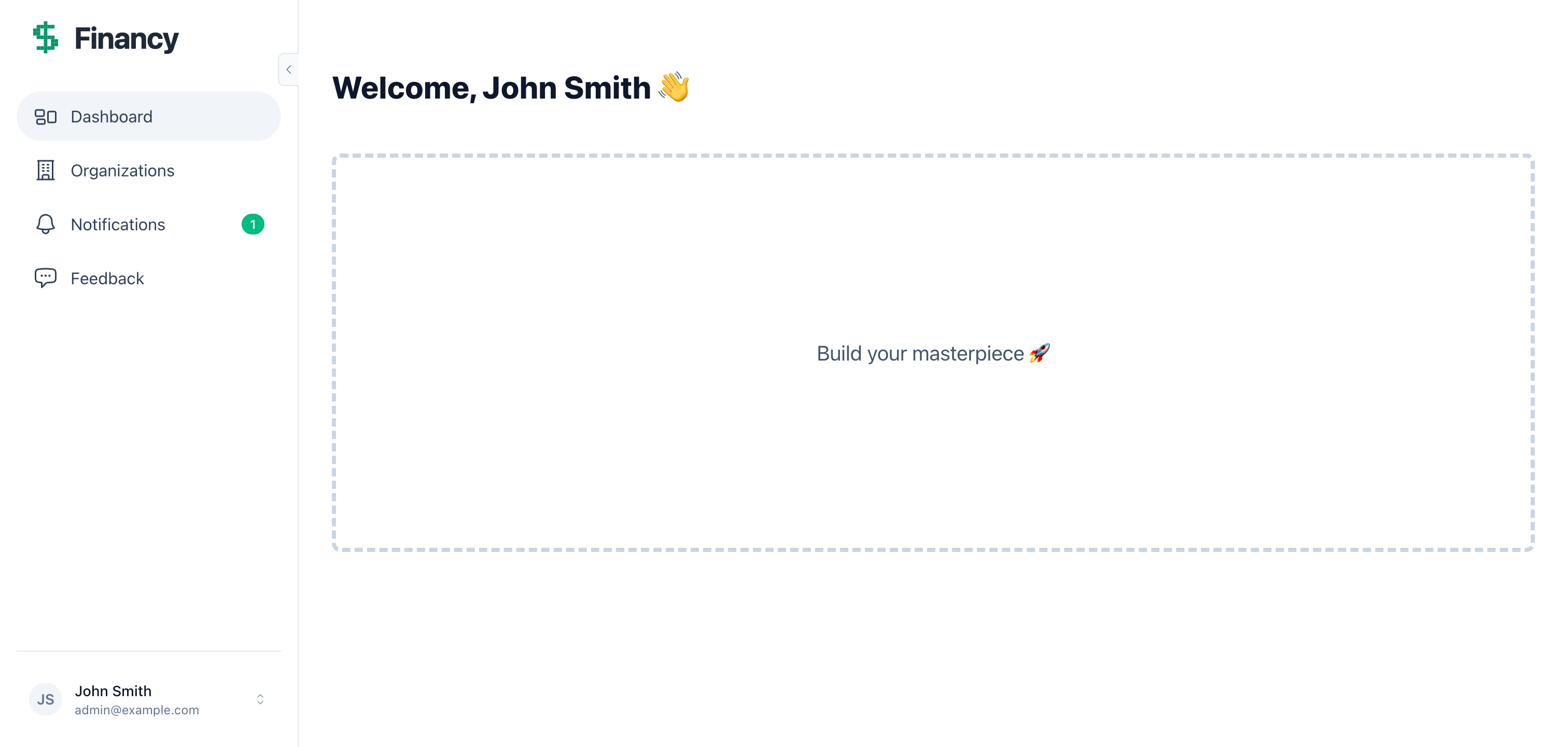
The signed-in layout: sidebar, notifications, user profile
Organizations — Full multi-tenancy. For Financy we’ll scope transactions to individual users, but if you were building a team product, you’d put everything under /app/org/:org_slug/ instead.
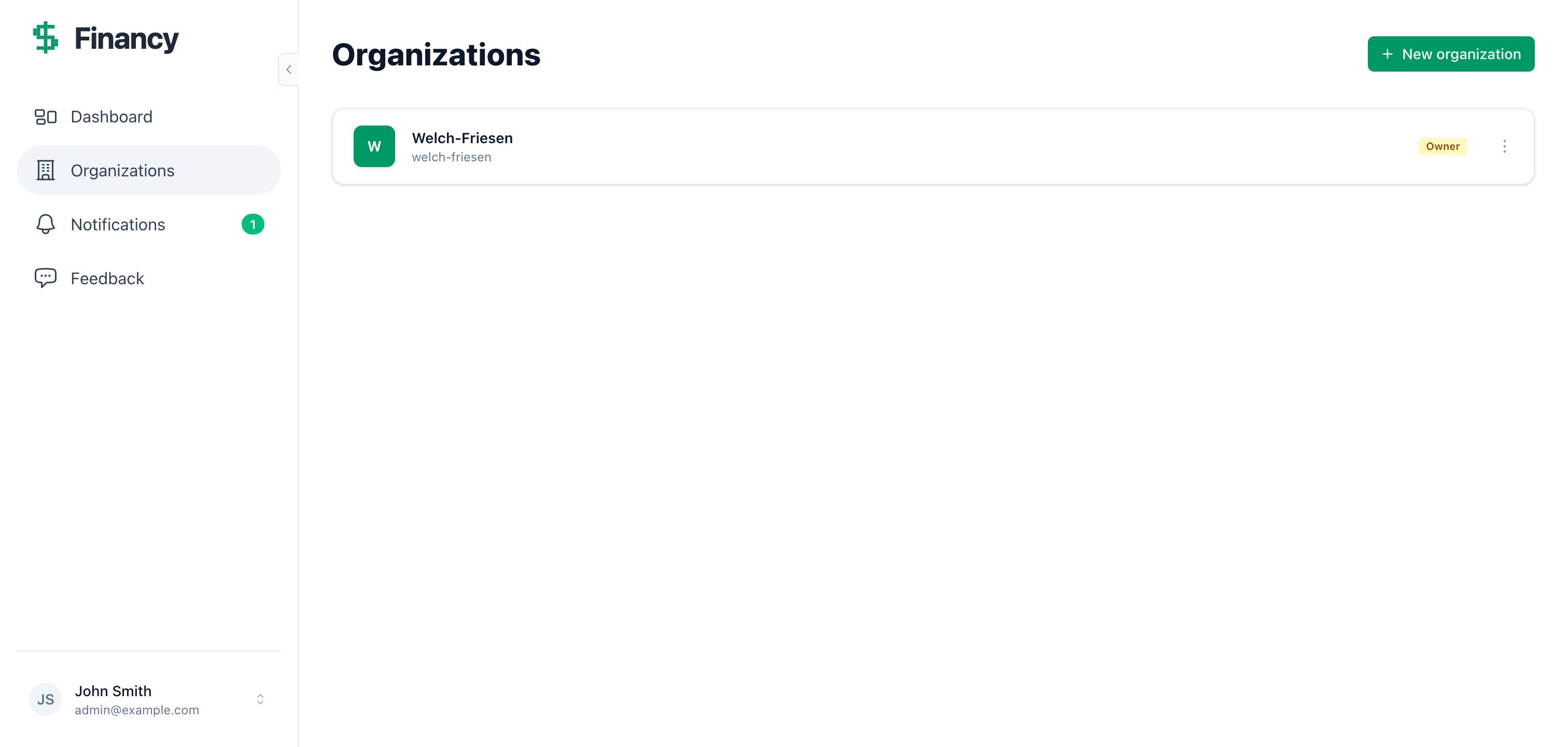
Orgs — multi-tenancy ready to use if you need it
Settings — Profile, email, password, 2FA, notification preferences, GDPR data export. None of this needs building.
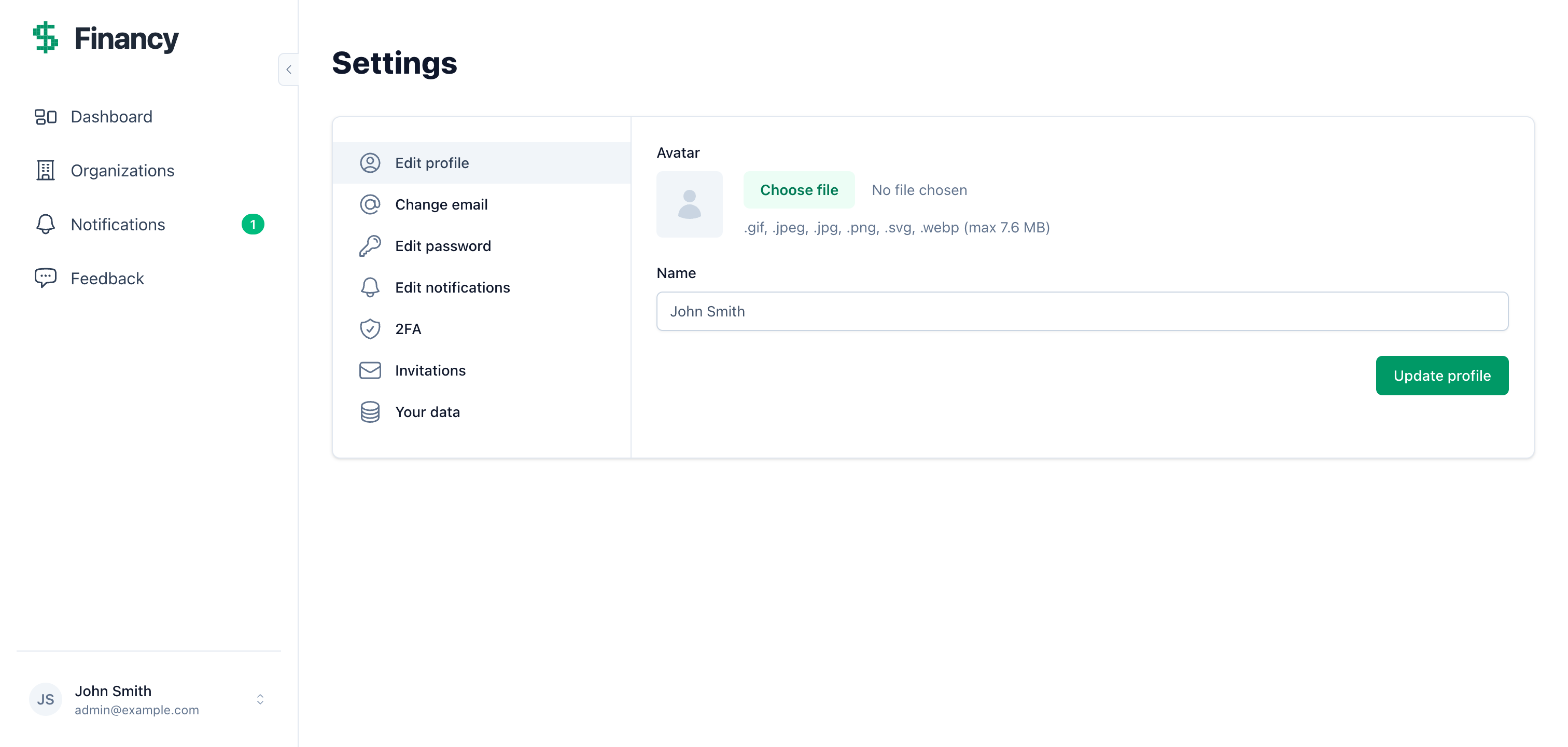
User settings — fully built
That’s the lay of the land. Now let’s build the actual product.
The transactions page
Tell Claude what you want
Build a transaction tracker for Financy. Users should be able to log income and
expenses. Each transaction needs: a description, an amount (decimal), a type that's
either "income" or "expense", and a date. Transactions belong to the current user
and should only be visible to that user. A user must never be able to view, edit or
delete someone else's transaction, even with its id. Use the data table generator
for the index.
Claude reads the CLAUDE.md files (they describe the conventions, the generator and how menus are structured) and gets to work:
⏺ Here's my plan before I start:

  1. Run mix petal.gen.live Finance Transaction transactions with the right fields
  2. Fix the schema: use PetalPro.Schema, belongs_to :user instead of field :user_id,
     add validations. user_id stays out of cast
  3. Add has_many :transactions to the User schema
  4. Make the context functions take the user: list_transactions(user),
     get_transaction!(user, id) and create_transaction(user, attrs). List and get
     go through Ecto.assoc(user, :transactions)
  5. Use them for every load: the index query, show, edit, delete and bulk delete.
     create_transaction sets user_id on the server (never from the form), so the
     index template passes current_user={@current_user} to the FormComponent
  6. Keep only the text columns (:description, :type) in the data table's
     search_fields. Its search uses ILIKE, which Postgres refuses on the decimal
     and date columns
  7. Swap the type field to a select dropdown (income/expense)
  8. Default the date to today
  9. Add routes under the /app scope
  10. Wrap pages in the sidebar layout
  11. Add the :transactions menu item and update home_path
  12. Add transactions to PetalPro.Accounts.GDPR: export them in export_user_data/1
      and delete them in execute_data_deletion/1
  13. Add a test that a second user gets a not-found on show, edit, delete and bulk delete

  Running the generator...

⏺ Bash(mix petal.gen.live Finance Transaction transactions description:string amount:decimal type:string date:date user_id:references:users --data-table)
  ⎿  * creating lib/petal_pro_web/live/transaction_live/...
     * creating lib/petal_pro/finance/transaction.ex
     * creating priv/repo/migrations/20260503_create_transactions.exs

⏺ Bash(mix ecto.migrate)
  ⎿  Migrated 20260503_create_transactions in 0.0s

⏺ Write(lib/petal_pro/finance/transaction.ex) - fixed schema, belongs_to, validations
⏺ Edit(lib/petal_pro/accounts/user.ex) - added has_many :transactions
⏺ Edit(lib/petal_pro/finance.ex) - every function takes the user
⏺ Edit(lib/petal_pro_web/live/transaction_live/index.ex) - index, edit, delete, bulk delete scoped to current_user, search on text columns
⏺ Edit(lib/petal_pro_web/live/transaction_live/show.ex) - show scoped to current_user
⏺ Edit(lib/petal_pro_web/live/transaction_live/form_component.ex) - creates through the current user
⏺ Edit(lib/petal_pro_web/live/transaction_live/form_component.html.heex) - select dropdown
⏺ Edit(lib/petal_pro_web/router.ex) - added routes under /app
⏺ Edit(lib/petal_pro_web/live/transaction_live/index.html.heex) - sidebar layout, fixed paths, current_user passed to the form
⏺ Edit(lib/petal_pro_web/live/transaction_live/show.html.heex) - sidebar layout, fixed paths
⏺ Edit(lib/petal_pro_web/menus.ex) - added :transactions get_link, updated sidebar_menu_items
⏺ Edit(lib/petal_pro_web/helpers.ex) - updated home_path to /app/transactions
⏺ Edit(lib/petal_pro/accounts/gdpr.ex) - transactions in the export and the account deletion
⏺ Write(test/petal_pro_web/live/transaction_ownership_test.exs) - a second user gets a not-found

⏺ Done. Navigate to http://localhost:4000/app/transactions.
A few of those decisions are worth understanding:
use PetalPro.Schema not use Ecto.Schema - The generator writes a plain use Ecto.Schema schema with a :binary_id key. The CLAUDE.md asks for use PetalPro.Schema in every schema, which gives you UUID v7 keys like the rest of the app.
belongs_to :user not field :user_id — The generator creates field :user_id, :binary_id. That works but doesn’t set up the Ecto association. belongs_to lets you use Ecto.assoc/2 for scoped queries and preload the user efficiently.
Every load goes through the user - The generator’s get_transaction!(id) loads any transaction by the id in the URL or the event, and show, edit, delete and bulk delete all use it. Scoping only the index hides other people’s rows from the list but still lets a signed-in user open, change or delete them by id. So the plan changes the context: get_transaction!(user, id) does Repo.get!(Ecto.assoc(user, :transactions), id), which raises Ecto.NoResultsError for anyone else’s id (Phoenix turns that into a 404 when the page loads), and every LiveView passes socket.assigns.current_user. The index uses the same Ecto.assoc(current_user, :transactions) query for the data table.
user_id is set on the server, not cast - The form never exposes user_id as a field, and the generated changeset leaves user_id out of cast, so keep it that way. create_transaction(user, attrs) starts from %Transaction{user_id: user.id}, which means a user_id sent in the form params is ignored. Never let the client dictate ownership.
The ownership test - It signs in a second user and checks that show, edit, delete and bulk delete on the first user’s transaction all end in Ecto.NoResultsError and leave the row alone. Keep a test like this for every resource you add; it’s the thing that catches a missed scope.
⚠️ Built Financy from an earlier version of this guide? The earlier plan only scoped the index. Check your context modules for functions that load a record by id alone, like get_transaction!(id), and for every place that calls them (show, edit, delete, bulk delete). Make them take the current user and look the record up inside that user's records, then add a test that a second user gets a not-found. Do the same for anything else you generated with petal.gen.live or petal.gen.html.
See it working
Let’s seed some test data. Claude has access to the running IEx session via the tmux session that was started earlier:
Add some test transactions via IEx so we can see the table working
⏺ I'll send IEx commands to the running server via tmux.

⏺ Bash(tmux send-keys -t petal_pro 'admin = PetalPro.Accounts.get_user_by_email("admin@example.com"); [%{description: "Salary", amount: "5200.00", type: "income", date: ~D[2026-05-01]}, %{description: "Rent", amount: "1800.00", type: "expense", date: ~D[2026-05-01]}, %{description: "Groceries", amount: "142.50", type: "expense", date: ~D[2026-05-02]}, %{description: "Freelance project", amount: "3500.00", type: "income", date: ~D[2026-05-02]}] |> Enum.each(&PetalPro.Finance.create_transaction(admin, &1))' Enter)
  ⎿  :ok

⏺ 4 transactions created. Reload http://localhost:4000/app/transactions.
Reload the page:
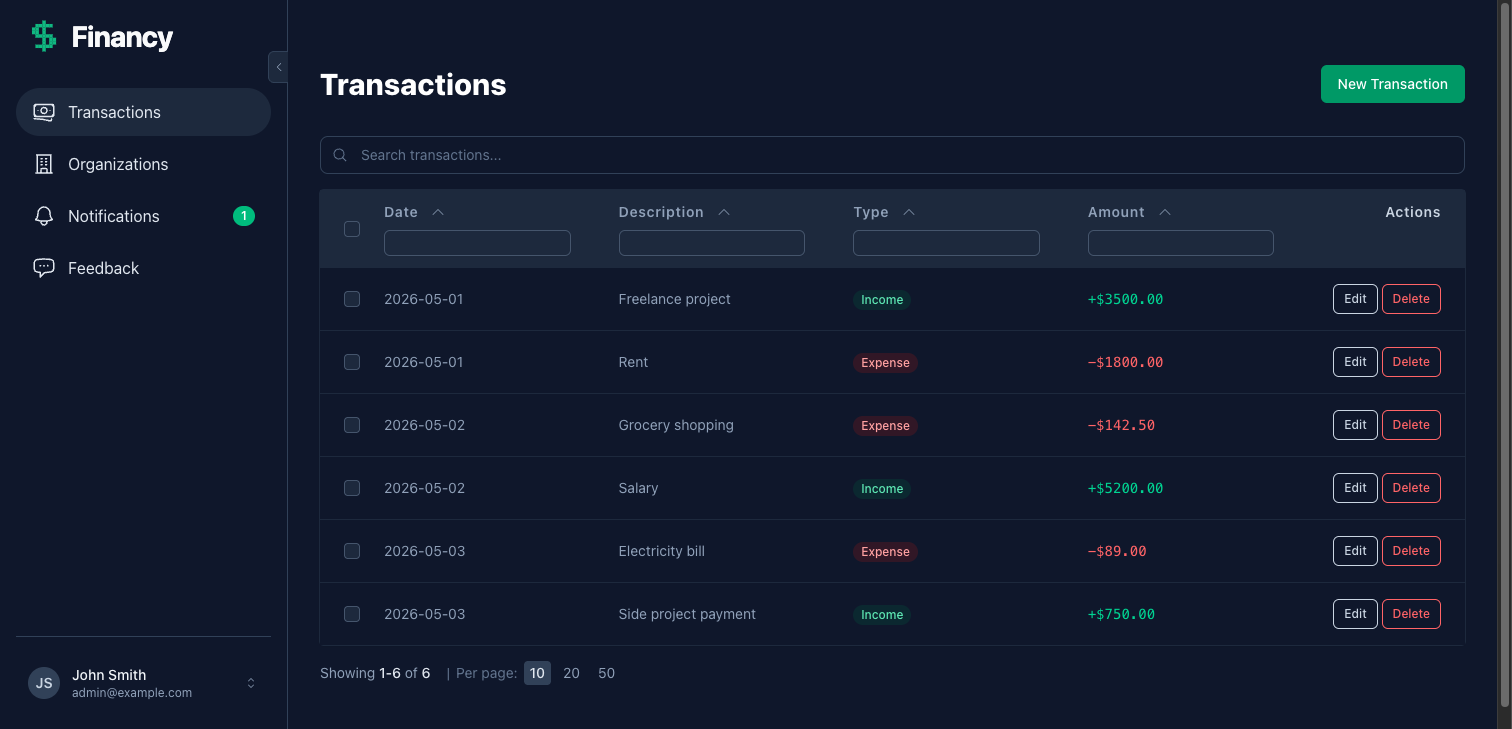
Transactions table — green income badges, red expense badges, colour-coded amounts
The new transaction form is equally clean:
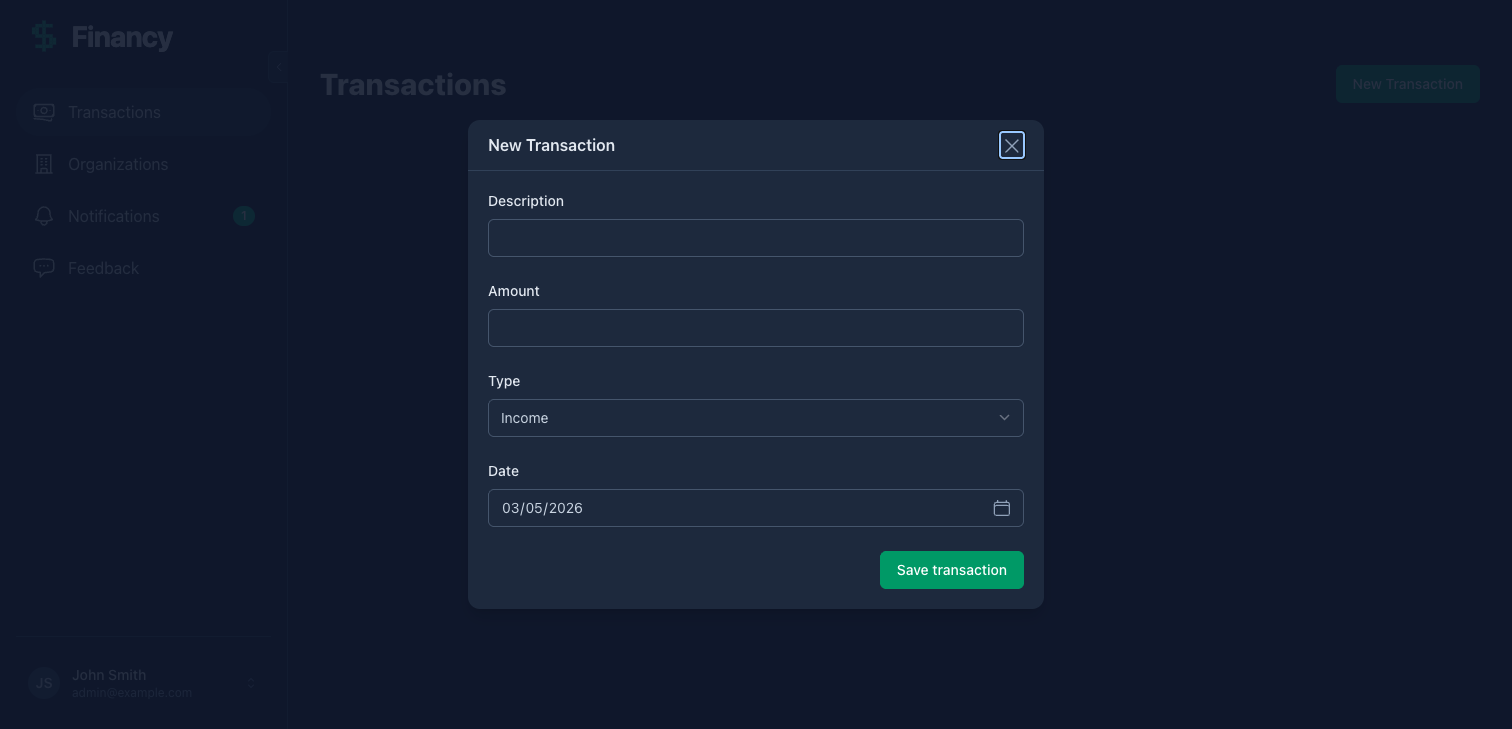
New transaction modal — type dropdown, date defaults to today
For new users with no transactions yet:
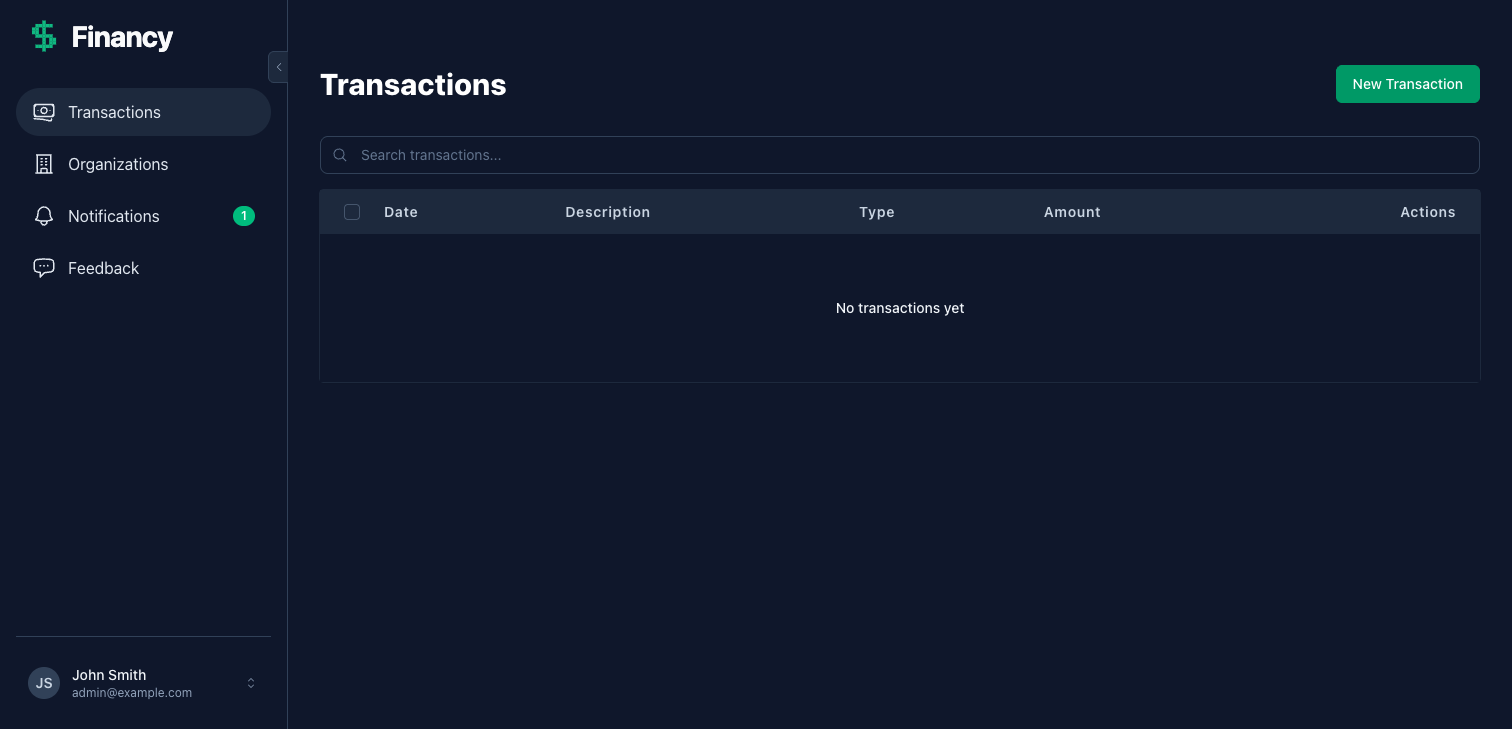
Empty state — sidebar, menu, and branding already in place
If you want to see the full sign-up flow, sign out and register as a new user. Click “Continue with email”, enter any email, and check the terminal (or tmux session) for a 6-digit PIN. In development, emails aren’t sent. The PIN is printed to the console. After PIN entry you’ll see the onboarding screen, which collects the user’s name before redirecting to the app.
User activity logging
Petal Pro puts logging front and centre — it ends up in the admin panel where you can watch it live.
Add activity logging to the transactions feature — log when a transaction is
created. Include the description, amount, and type as metadata.
⏺ I'll add "transactions.create" to the allowed log actions, then call it after
  a successful create.

⏺ Edit(lib/petal_pro/logs/log.ex)
  ⎿  Added "transactions.create" to @action_options

⏺ Edit(lib/petal_pro_web/live/transaction_live/form_component.ex)
  ⎿  Added after {:ok, transaction}:

     PetalPro.Logs.log("transactions.create", %{
       user: socket.assigns.current_user,
       metadata: %{
         transaction_id: transaction.id,
         description: transaction.description,
         amount: transaction.amount,
         type: transaction.type
       }
     })
Create a transaction, then go to Admin → Logs. You’ll see the entry. Turn on “Live logs” and open two windows side by side — one on logs, one on transactions. Add a transaction and watch the log entry appear in real time. That’s Phoenix PubSub; nothing to configure.
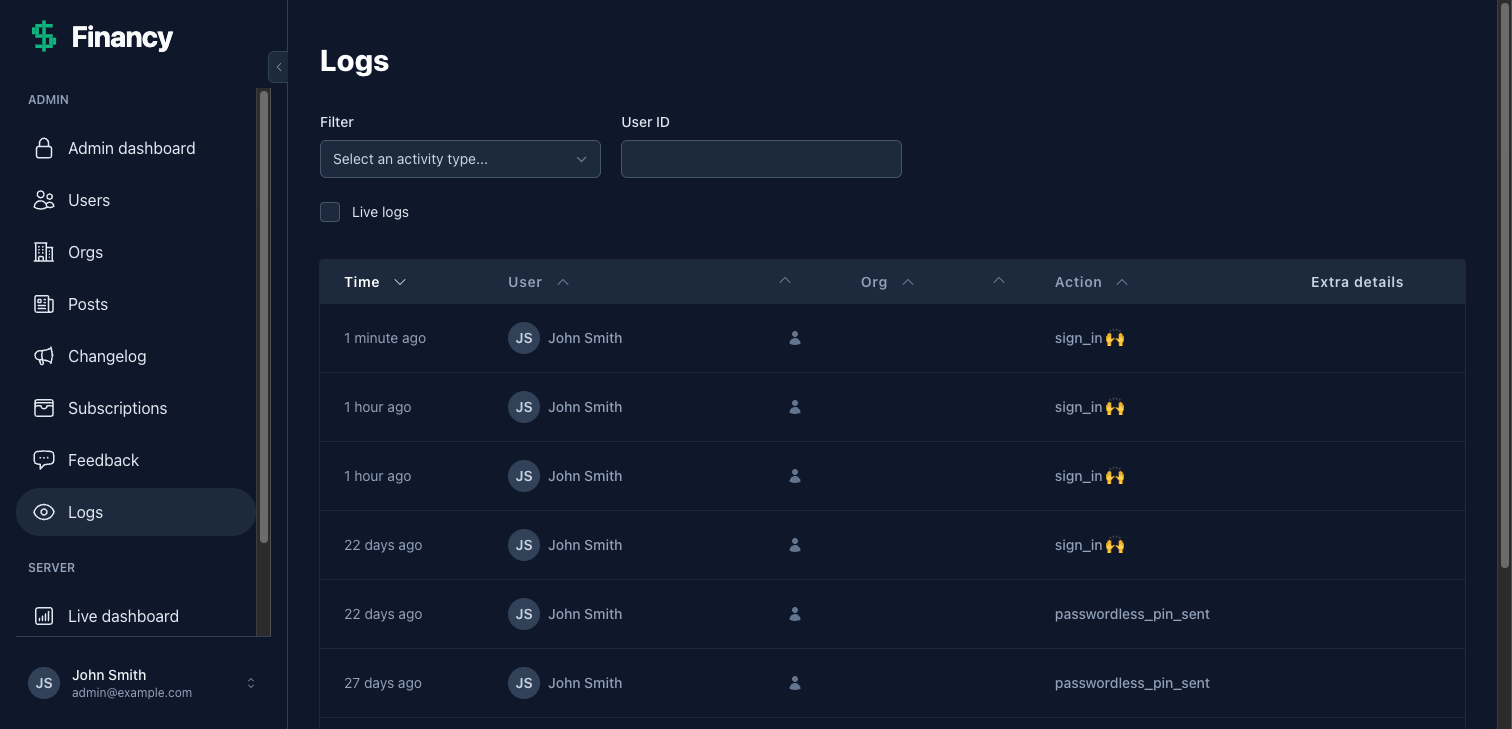
Admin logs — real-time, filterable, with full metadata
Monthly summary email
Let’s build a monthly email showing users their income, expenses, and net for the month.
Build a monthly summary email for Financy. It should show total income, total
expenses, and net for the current month. Schedule it to run on the 1st of each
month at 9am via Oban. Also add it to the Dev email template previewer so I can
see it while building.
⏺ I'll build this in four parts: email function, template, preview, and Oban worker.

⏺ Edit(lib/petal_pro_web/notifications/email.ex)
  ⎿  Added monthly_summary/2 — builds a Swoosh email struct with a summary map

⏺ Write(lib/petal_pro_web/templates/email/monthly_summary.html.heex)
  ⎿  Template using EmailComponents.gray_box for the income/expenses/net summary
     and EmailComponents.button_centered to link to /app/transactions

⏺ Edit(lib/petal_pro_web/controllers/email_testing_controller.ex)
  ⎿  Added "monthly_summary" to @email_templates and generate_email/2 clause
     with sample data

⏺ Write(lib/petal_pro/workers/monthly_summary_worker.ex)
  ⎿  Oban worker — fetches this month's transactions per user, calculates totals,
     sends email to users who have activity

⏺ Edit(lib/petal_pro/finance.ex)
  ⎿  Added monthly_summary_for/1 — returns %{total_income, total_expenses, net, month, url}

⏺ Edit(config/config.exs)
  ⎿  Added {"0 9 1 * *", PetalPro.Workers.MonthlySummaryWorker} to Oban crontab

⏺ Preview it at Admin → Dev → Email templates → monthly_summary.
  Test manually: Oban.insert(PetalPro.Workers.MonthlySummaryWorker.new(%{}))
  Check the captured email at http://localhost:4000/dev/mailbox.
How email works in Petal Pro: email.ex creates %Swoosh.Email{} structs (the view), user_mailer.ex delivers them (the controller). The dev mailbox at /dev/mailbox captures everything locally so nothing actually sends in development.
In-app notifications
The Notifications item in the sidebar is already wired up, with an unread badge. Let’s give it something to count when a user’s spending exceeds their income.
Add an in-app notification that fires when expenses exceed income for the month.
Wire it into the monthly summary worker so it runs at the same time. Users should
be able to turn it off from their notification preferences.
⏺ I'll register the notification type in the four places Petal Pro reads it, then
  trigger it from the worker.

⏺ Edit(lib/petal_pro/notifications/user_notification.ex)
  ⎿  Added :spending_exceeds_income to @notification_types

⏺ Edit(lib/petal_pro/notifications/preferences.ex)
  ⎿  Added spending_exceeds_income: %{
       label: "Spending alerts",
       description: "When your expenses exceed your income for the month",
       category: :account,
       channels: [:in_app],
       allow_disable_in_app: true,
       allow_disable_email: false
     }

⏺ Edit(lib/petal_pro/notifications/user_notification_attrs.ex)
  ⎿  Added spending_exceeds_income_notification/1:

     %{
       type: :spending_exceeds_income,
       recipient_id: recipient_id,
       read_path: ~p"/app/transactions",
       message: gettext("Your expenses exceeded your income this month.")
     }

⏺ Edit(lib/petal_pro_web/live/notifications/notifications_components.ex)
  ⎿  Added a notification_item/1 clause for :spending_exceeds_income

⏺ Edit(lib/petal_pro/workers/monthly_summary_worker.ex)
  ⎿  Added Notifications.notify/3 call when Decimal.compare(summary.net, 0) == :lt:

     PetalPro.Notifications.notify(
       UserNotificationAttrs.spending_exceeds_income_notification(user.id),
       user
     )
The sidebar’s unread badge updates in real time when a notification arrives, and the message shows on the notifications page. Users can toggle it off from Settings → Notifications. That option is there automatically because we set allow_disable_in_app: true, and the label, description and category are what that page shows.
All four files matter. The type has to be in @notification_types, because UserNotification stores it as an Ecto.Enum. The attrs have to use the schema’s field names (recipient_id and message). notification_item/1, which draws each notification in the list, has no catch-all clause, so each type needs its own. And notify/3 returns {:ok, %{in_app: {:error, changeset}}} when the insert fails, so a wrong type or field doesn’t raise. Ask Claude for a test that calls the worker and checks a row lands in user_notifications.
Writing tests
The generated test files need updating - the Finance functions take the user now.
Fix them, including transaction_live_test.exs: sign in a user and use the /app
paths. Also add a test for monthly_summary_for/1. Then run the whole suite, because
the Pro tests that expect a redirect to /app need the new home_path.
⏺ Bash(mix test test/petal_pro/finance_test.exs)
  ⎿  every test fails - the fixture and the tests still call the old arities

⏺ Edit(test/petal_pro/finance_test.exs)
  ⎿  Added user setup in describe block
     Updated the fixture and every call to pass the user
     Added test: create_transaction with negative amount returns error changeset
     Added test: monthly_summary_for sums income and expenses correctly

⏺ Edit(test/petal_pro_web/live/transaction_live_test.exs)
  ⎿  Signs in a user, creates fixtures for that user, uses the /app/transactions paths

⏺ Bash(mix test)
  ⎿  The Pro tests that assert a redirect to "/app" fail - home_path is
     "/app/transactions" now

⏺ Edit(test/petal_pro_web/controllers/user_auth_test.exs, org_plugs_test.exs, ...)
  ⎿  Expect ~p"/app/transactions" where the tests expected ~p"/app"

⏺ Bash(mix test)
  ⎿  0 failures
Why the whole suite and not just finance_test.exs: the generator also writes test/petal_pro_web/live/transaction_live_test.exs, which still uses the old fixture and the generator’s /transactions paths, and changing home_path breaks the Pro tests that expect a redirect to /app (the sign-in, impersonation and org plug tests among them). Running one file hides all of that.
Using Claude Code effectively
A few things that make working with Petal Pro and Claude Code smoother:
Be specific about what you want. “Add logging” works, but “log when a transaction is created — include the description, amount, and type as metadata, use dotted naming like transactions.create“ gets it right first time.
Ask for explanations after. Claude will often make the right call without explaining why. If you want to understand a decision, just ask — “why did you use Ecto.assoc instead of a where clause?”
Use tmux and the browser for live inspection. Claude can send IEx expressions to the running server via tmux (tmux send-keys -t petal_pro '...' Enter) and read the output. It can also use the Claude browser extension to navigate the app, fill forms, and screenshot results directly — useful for testing UI flows without manual clicking.
The CLAUDE.md files carry the context. Don’t explain Petal Pro conventions to Claude — they’re already documented in the CLAUDE.md files across the project. Just describe your feature. If Claude gets something wrong, it’s usually worth checking whether the relevant convention is in the docs and asking Claude to re-read it.
Slash commands are your shortcuts. Petal Pro ships skills like /new-liveview, /add-org-feature and /add-admin-page in .claude/skills/, plus recipes in .claude/commands/recipes/. See Claude Code integration for the full list.
Deployment with Fly.io
To deploy, follow the Deploy to Fly.io guide.
Before you go live
Things v4 handles for you that you should switch on:
-
Error monitoring - Set
SENTRY_DSNon your Fly app. Auto-activates when present, nothing else to configure. - Rate limiting - Auth endpoints are already rate-limited with Hammer. No configuration needed.
-
GDPR - Users can export and delete their data from Settings → Your data. Soft-deletion and anonymization run automatically via Oban. That covers Petal Pro’s own tables. Every user-owned table you add (like
transactions) has to go intoexport_user_data/1andexecute_data_deletion/1inPetalPro.Accounts.GDPR, which is why the plan has a step for it. Without that, a deleted account leaves its rows behind and the export leaves them out. -
Email - Set
RESEND_API_KEYon your Fly app. Without it Petal Pro falls back toSwoosh.Adapters.Logger, so emails only show up in the logs. - Billing - If you’re adding payments, see the Stripe billing docs.
From nothing to production
That’s the full loop — branding, feature, logging, email, notifications, tests, deploy.
The thing worth reflecting on: most of the boilerplate was written by Claude while you described what you wanted. The CLAUDE.md files meant you never had to explain how Petal Pro works. Claude already knew. use PetalPro.Schema, the notification system’s notify/3 API, the dotted log action naming convention: all of that context was already there. The one thing you spelled out was who owns a record, and that’s worth spelling out for every resource: the generator doesn’t scope records to a user, so the plan has to.
The more you work in this project, the more that pattern pays off.
Things worth exploring next:
- Stripe billing — Add subscription plans or one-time purchases
- Organizations — Scope transactions under orgs for shared household or business budgets
- Image uploads — Attach receipts to transactions
-
Generators — Use
petal.gen.liveto scaffold more features
If you have any feedback, head here to get in touch.