



Petal Components 4.15 - the component wave

The biggest petal_components release yet: 21 new free, open source components for Phoenix LiveView - sidebar, tree, calendar, date picker, slider, sortable, filters, alert dialog and more, all live on the playground.

- Name
- Matt
2 months ago
This is the biggest release we have ever shipped. Twenty-one new component modules, a chat family that learned four new tricks, and a polish pass that went device by device. All of it free, all of it open source, all of it live on the playground.
Here is what landed.
The app shell
<.sidebar_shell> is the collapsible navigation rail every dashboard ends up rebuilding by hand. Icon-rail and offcanvas collapse modes, a mobile sheet, focus containment that does not steal focus, and a sidebar_nav that keeps its label in a screen reader when the rail shrinks down to icons.
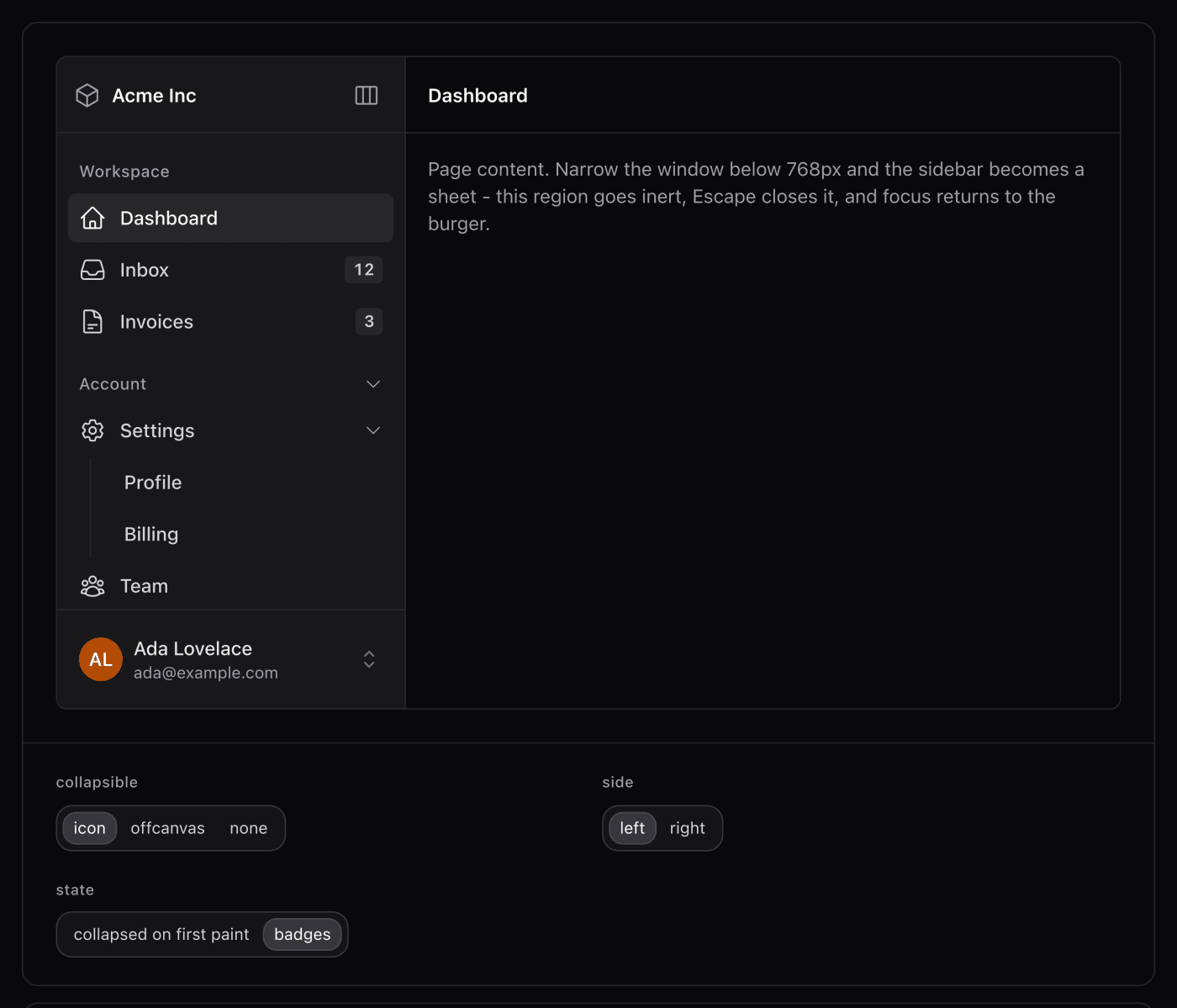
It is called sidebar_nav on purpose. use PetalComponents imports every component into your module, and half the apps we looked at already define a sidebar function of their own. Better to pick a name that does not collide than to break your app on a version bump.
<.tree> handles the other kind of sidebar, the one you explore rather than navigate. It is a WAI-ARIA TreeView with lazy-loaded branches, server-controlled or client-only, and keyboard support from end to end.
Dates, done the typed-first way
<.calendar> is a roving-tabindex month grid. <.date_picker> wraps it with the part most libraries skip: a real text input.
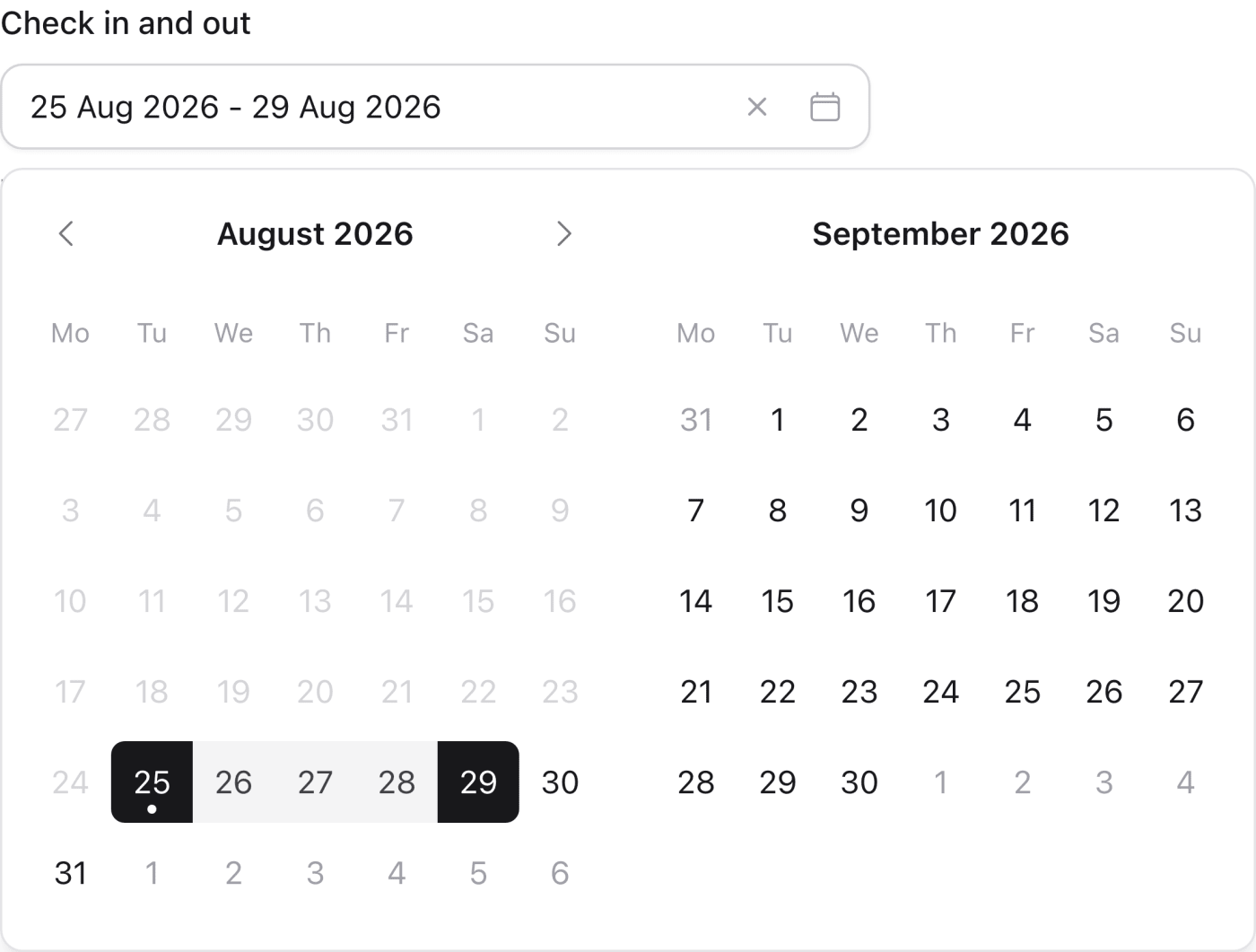
Type 14 Mar 2027 and the calendar pages to it as the year lands. Enter commits and closes. The form posts ISO 8601 either way, so your changeset does not care how the date got there. Run it client-owned with zero server code, or wire on_select and own every keystroke yourself.
This is the one I am most pleased with. Typing a date is faster than clicking through a calendar, and almost nothing lets you do both properly.
Inputs that pull their weight
<.number_field> is a spinbutton with steppers you can actually style, and a value the browser cannot sanitise out from under you.
<.slider> was rebuilt from scratch: single or dual thumb, marks, vertical, tooltip or inline value.
<.sortable> does drag-to-reorder for lists and grids over LiveView, with optimistic reorder so it feels instant, and keyboard grab-and-move so it is not mouse-only.
<.file_upload> turns LiveView uploads into drop zones, avatars and galleries.
<.filters> takes the data table’s typed filter grammar and lets you compose it anywhere. Seventeen operators across text, number, date and select columns.

Structure and overlays
<.alert_dialog> is the forced choice, built on the native <dialog> element. Focus lands on Cancel, the backdrop ignores clicks, and the focus ring only paints for keyboard users on every engine. Getting that last part working on iOS Safari took actual engineering.
<.resizable_group> gives you draggable split panes. <.scroll_area>, <.scrollspy>, <.context_menu>, <.hover_card>, <.timeline>, <.collapsible>, <.separator>, <.kbd>, <.empty> and <.qr_code> round out the set. <.slide_over> also learned origin="bottom" with a real drag-to-dismiss sheet.
The chat family grew up
RAG answers now carry chat_sources with inline numbered citations and preview cards that are pure CSS, so they survive streaming without a hook fighting the DOM.
message_attachments renders what the user sent. <.questionnaire> is structured human-in-the-loop input inside a conversation. tool_call panels show an agent’s working.
One security note worth calling out: a javascript: URL coming back from a retrieval layer never becomes a live link. If you are building anything that renders model output, that is a hole worth checking in your own code too.
The full list
For the searchers: sidebar_shell and sidebar_nav, tree, calendar, date_picker, number_field, slider, sortable, file_upload, filters, alert_dialog, hover_card, context_menu, resizable_group, scroll_area, scrollspy, timeline, collapsible, separator, kbd, empty and qr_code. Every one has a live demo on the playground and docs on petal.build/components.
The boring part that took the longest
Every component in this release spent weeks on the public playground before it shipped, on desktop, iOS Safari and Firefox. That pass caught a pile of bugs you will now never meet: focus steals, the iOS keyboard popping up on stepper taps, inputs zooming the viewport on focus, text selection kicking in mid-drag.
None of that shows up in a feature list. It is most of why the release took as long as it did.
If you use an AI coding assistant
The MCP server is updated in step. That is 213 components it can read the real schema for instead of guessing at your markup.
claude mcp add petal --transport http https://mcp.petal.build/mcpUpdating
mix deps.update petal_componentsEverything above is in the free, open source library. Have a click around the playground, and if something is missing that you would use, tell us.
Matt and Nic
More posts

- Name
- Matt

- Name
- Matt


- Name
- Matt


- Name
- Nicolas

- Name
- Nicolas


- Name
- Franz Bettag
